Published 2022. Updated 2026.
Most screen printing shops struggle with the leap from manual to automatic printing. It’s a common conversation across Facebook groups, on forums, at trade shows, and in conversations with screen printers that haven’t made the leap to automatic printing: “How do I know if it’s time to buy an automatic screen printing press? What do I buy? How much is it really going to cost?”
Let’s get started and run through the basics of scaling your production capacity and growing your printing business with automatic screen printing.
When should you upgrade to an automatic screen printing press?
An automatic press pays off when demand already exists; equipment doesn’t create orders. Signs you’re ready: the manual presses run full days most weeks, you turn down or outsource larger orders, operators are worn out by long runs, and your incoming orders could cover the payment several times over. A rule of thumb from an earlier Printavo post is to have about 3 times the monthly payment come through in orders each month before you buy.
“As soon as possible if you like money and being profitable.”
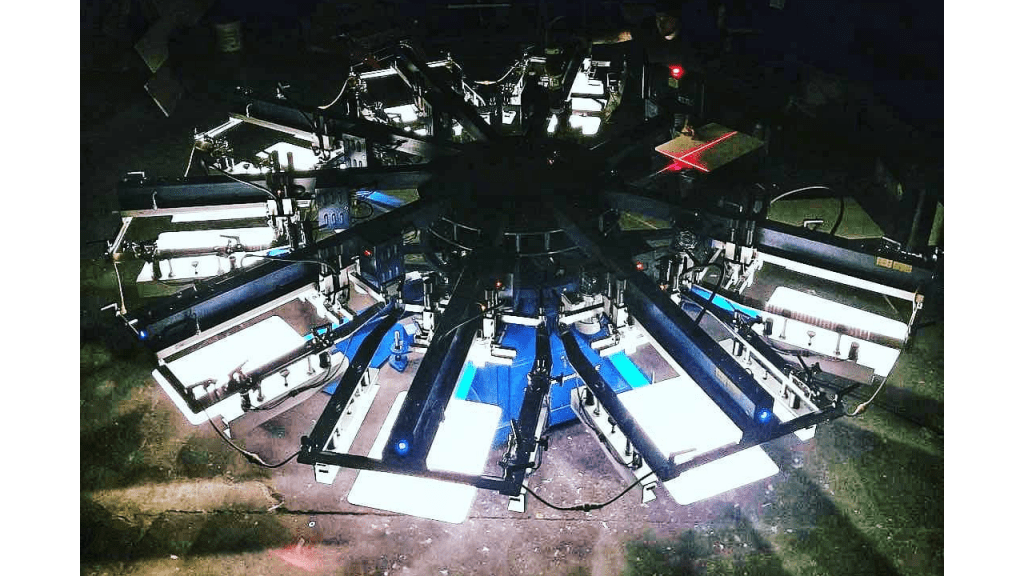
An automatic screen printing press is the fastest and easiest way to scale your printing capabilities.
Automatic printing lets you take jobs you simply couldn’t print before. It can also give you more time to focus on sales and marketing for your business instead of pulling (or pushing) a squeegee.
Manual screen printers are great! They can do all sorts of creative things – and are instrumental in advancing screen printing.
Virtually everyone starts with manual printing. It’s rare you’ll visit a shop – even a huge one – and find they don’t have a manual press somewhere in their shop. But purely manual screen printers have all sorts of reasons they will not or cannot make the leap to automatic screen printing.
Maybe they don’t have enough money to afford a press. Sometimes they claim to love the craft of doing manual labor for 8 hours a day. Others simply don’t want to deal with the (overhyped) hassles and supposed risk of getting an auto.
It’s this simple: if you really want to grow your printing business, find a way to get an auto into your shop.
Why should you upgrade to automatic screen printing?
Honestly – there is no reason not to go automatic as soon as possible. If you have the revenue and sales to support the investment, it’s a no-brainer.
Some people are really hesitant to make the jump. Several older screen printers told me that automatics used to be considered a death sentence for a shop. It is true that it’s a huge commitment! But it’s important to give you some concrete details that put things into perspective. It’s not nearly as risky as some think, and the potential upside is too big to ignore.
A real shop story: Barrel Maker Printing
Justin and Erin Moore started Barrel Maker Printing in 2009, printing from home before moving into a shop. They ran manual presses for several years before buying their first automatic; Justin has described the manual years as exhausting. When the shop landed its first giant order, a 60,000-shirt job, a press rental program helped it take on the work. Barrel Maker later grew to a 12,000-square-foot facility in Buffalo Grove, Illinois, with multiple automatics and a team of about 20.
How do manual and automatic presses compare on one job?
Press hours = setup hours + (pieces × locations) ÷ impressions per hour
Illustrative example: 288 shirts with 2 print locations is 576 impressions. At a measured 100 impressions an hour on a manual press, that’s about 5.8 hours of printing; at 300 an hour on an automatic, about 1.9 hours, before setup. (We’ve previously estimated around 300 prints an hour on an automatic at a careful pace, but make sure to measure your own.) The saved hours only matter if you have work to fill them.
Besides saving your back and your wrists from the strain of manual screen printing, you will increase your production capacity tremendously.
Let’s give you two example jobs to flesh out the specific benefits.
Job parameters
1,000 shirts
1 color, black t-shirts
Full front print location
12” high
Manual press
Printing rate: 100 shirts per hour, or one every 36 seconds. (A decent estimate for a good printer)
Time on press: 10 hours (just printing).
Automatic press
Printing rate: 450 shirts per hour, or one every 8 seconds. (A decent production pace)
Time on press: 2.5 hours (including setup and breakdown).
That’s a 75% decrease in printing time for the same job. There’s just no way a manual printer can find an easy way to print 75% faster!
Let’s look at another type of job that automatic screen printing lets you capture: large runs with lots of colors and multiple print locations.
Job parameters
500 shirts
6 color full front print
6 color back print
This job has a 6-color print on each side. This kind of print is almost impossible to produce with a manual printer. Here’s why:
Manual press
Printing rate: Around 50 shirts an hour.
Time on press: 10 hours.
Automatic press
Printing rate: 330 completed shirts per hour.
Time on press: Less than 2 hours.
That’s another 75%+ time savings. The prints will be consistent through the entire run – despite the complex color scheme. Then you won’t be exhausted from a 10+ hour day of nonstop screen printing.
Automatic screen printing is the next step for print shops that want to grow
If it isn’t clear that automatic screen printing offers a huge boost in production capabilities, here are some other ways to frame it.
- Automatic printing reduces labor costs and time constraints.
- It’s not uncommon for businesses to pay for their equipment lease in a handful of business days.
- Automatic screen printing is the only cost-effective way to realize massive efficiency gains.
Make the switch as fast as you can if you want to scale your business. You will increase your production speed by 4 to 6x (if not more).
Each print head prints simultaneously! You unlock jobs and prints you could never do as a manual printer – you can offer colorful jobs with multiple print locations without destroying your body.
What you really need to get started with automatic screen printing
This guide is super helpful if you’re not sure whether your shop can make the leap to a new printing style. Don’t skip it if you’re considering spending your hard-earned money on a new screen-printing press.
We’ve compiled everything you need to know, including this checklist to help you get organized when you make the jump from manual to auto.
Automatic press buying checklist
- Floor space for the press, loading, and the dryer, with room to move carts.
- Electrical service and compressed air the press requires.
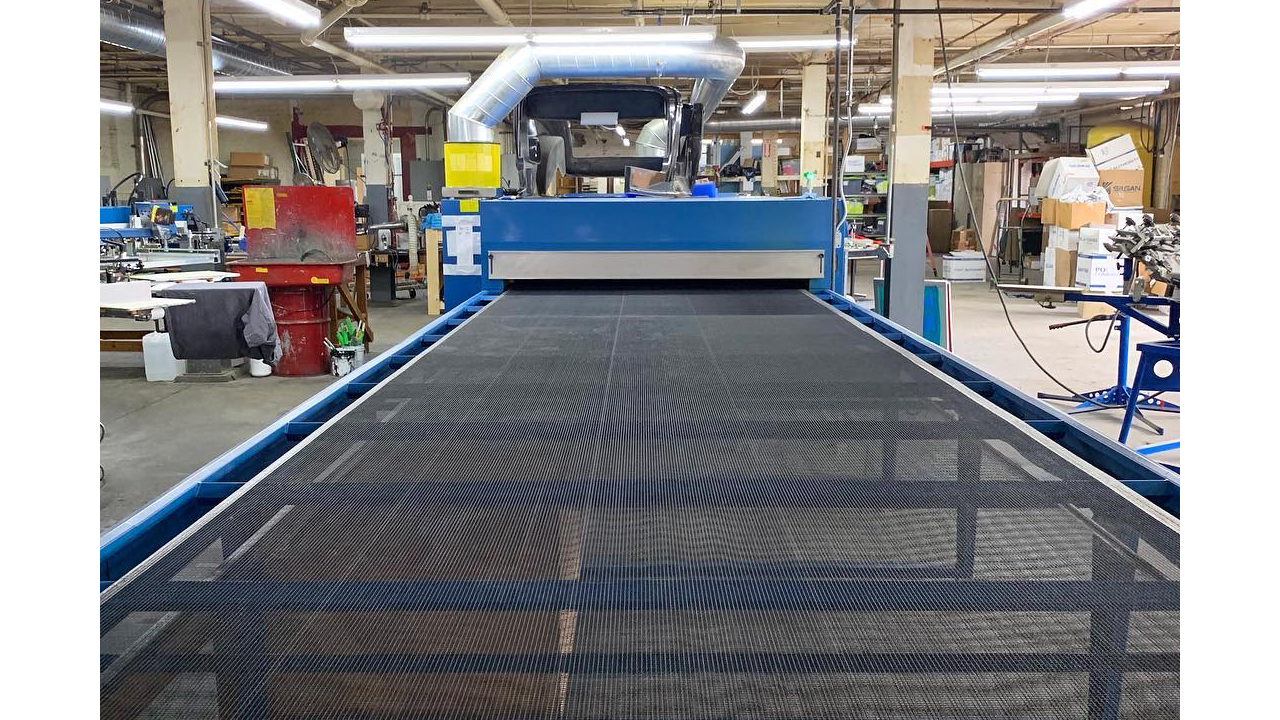
- A dryer that can keep up with the new print speed.
- Screens, platens, and a registration system compatible with the press.
- Operator training and a plan for who prints while they learn.
- Service, parts, and support near you.
- New, used, or rental, and the total monthly cost of each.
Considerations to make before you buy a new press
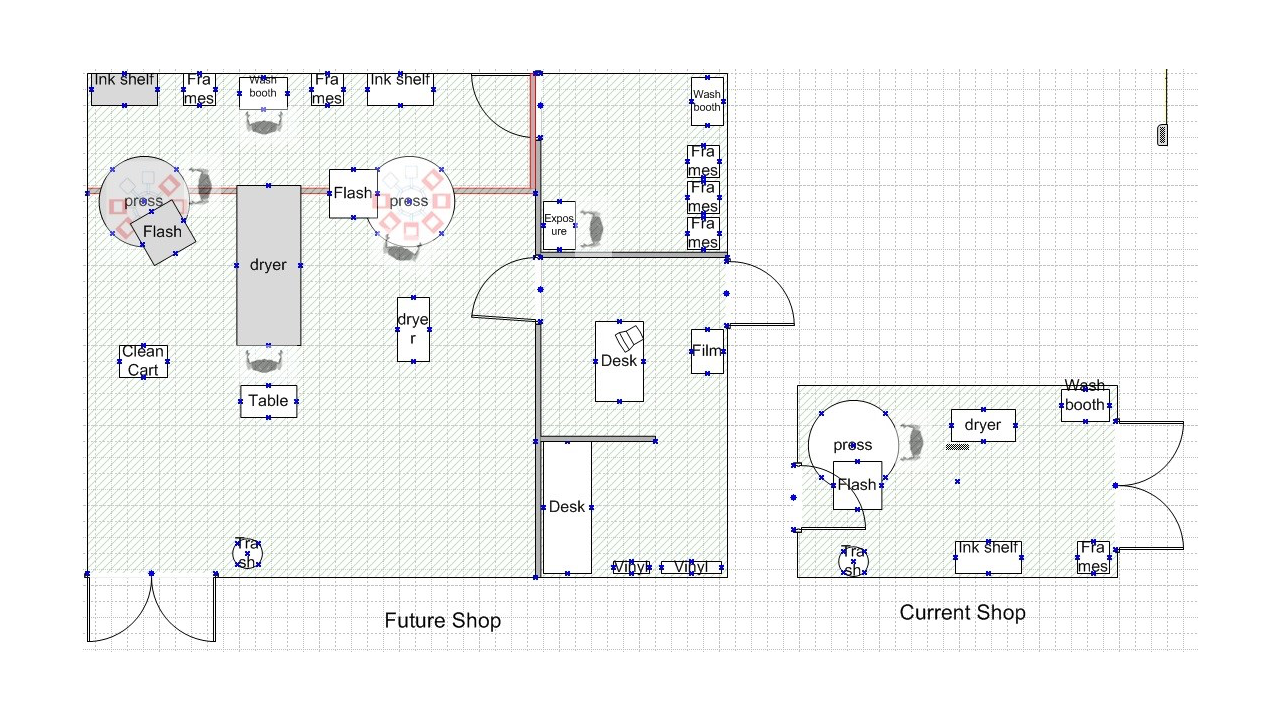
One shop shared their layout plans during a relocation to a larger facility.
Before you make the leap, it’s crucial to consider a few mission-critical constraints.
- Shop layout.
- Draw out your floor plan in detail. Where is this press going?
- Is there actually enough space to work comfortably?
- Does the press feed into the dryer in a reasonably efficient way?
- Do workers need to repeatedly walk across the shop to do common tasks? If so, change the layout!
- A good rule of thumb is a minimum of 3 feet of working space on all sides of any automatic press.
- Your building’s electric supply.
- As mentioned earlier, you need industrial power. Does your shop have enough power to handle all of your equipment? This is an easy thing to overlook.
- 110v vs. 220v: Know which your building has. Flashes and dryers draw a lot of power and need 220v connections.
- Single phase power vs. three phase power. You will almost certainly need three phase power. If the building isn’t outfitted for three phase power, it can be prohibitively expensive. Most screen printing machines run on 220v, so they’re far more efficient with three phase power.
Work carefully on these concerns well before you’ve signed any paperwork – or even done any window shopping for new presses. If your shop is too small or can’t meet the power requirements, you may have to devote your resources to relocating first.
Learning to print with an automatic screen printing press
Printing on an auto is very different than printing manually. Yes, you can produce more garments faster. The flipside is that you can ruin a lot of garments very quickly with poor technique or bad press operation. Because of that risk, training is crucial.
Here’s what I wish I’d known before I started printing with an automatic press:
- Learn to print wet-on-wet. You simply can’t flash every color. It’s wasteful, unreasonable, and typically makes zero sense. A huge tip for wet-on-wet printing: keep your platens around 140 degrees Fahrenheit (60 degrees Celsius) for the best results.
- Mesh control and screen tension are really important for successful printing. These two topics are huge for automatic printers. Since the machine is so consistent, you can carefully control ink deposit and pickup. This means understanding mesh counts, keeping tabs on your screen tension, and generally taking a deeper dive into the mechanics of your screens.
- Two flashes is enough for one press. For most jobs, two flash dryer units can meet your needs.
- There is help available. Don’t wing it or try to do everything by yourself. Here’s how I got up to speed:
- Attend trade shows to make connections with sales reps, manufacturers, and other screen printing experts. You’ll often get tips and valuable info at the show, and you can lean on your connections afterward to get help as you need it. Here’s how to get the most out of trade shows.
- Learn from Greg Kitson at Mind’s Eye Graphics, located in Decatur, IN. Greg runs awesome educational programs at his shop. I can’t overemphasize how crucial this kind of ongoing education is to develop your skills with automatic printing.
Should I finance a new automatic press or just buy a used press?
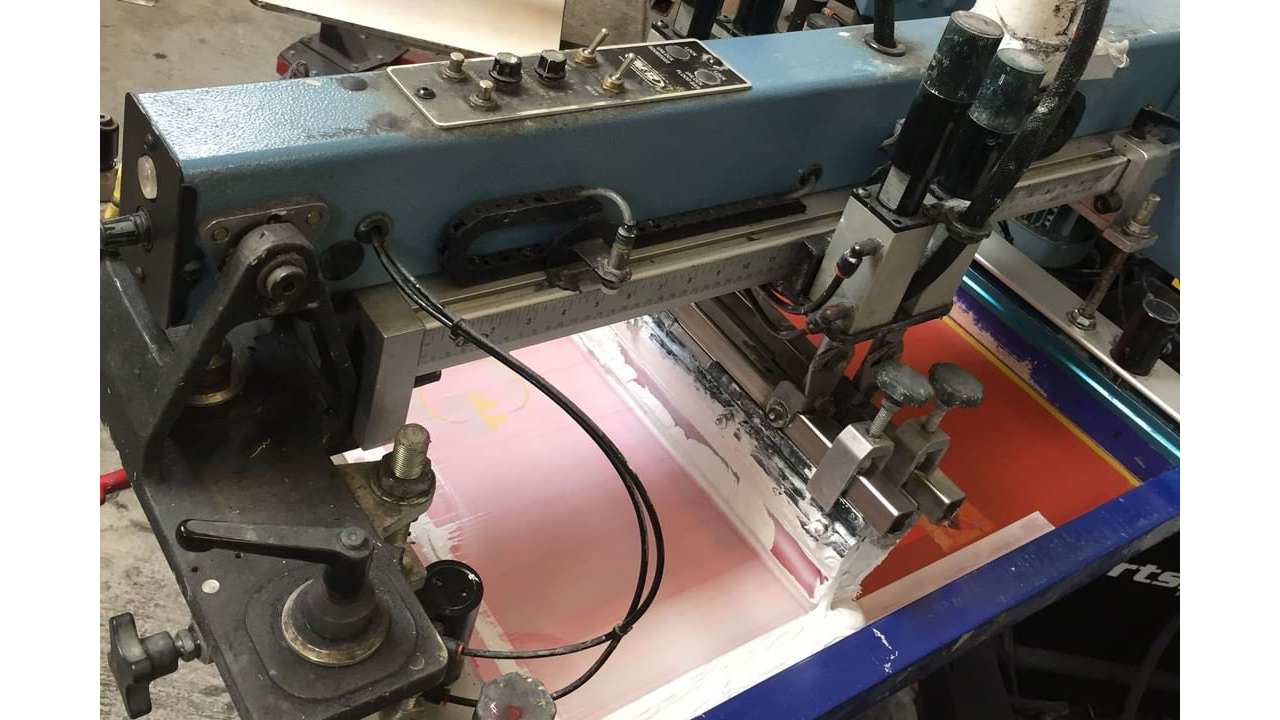
This is a tricky question. You should consider how handy you are at repairing and maintaining things, as well as the practicality of having a used press shipped to you.
You can always start with a used press – but you may struggle to get timely support from the manufacturer; it may not still be under warranty; it could have unseen damage or issues; or you could (worst-case-scenario) find out that the equipment has a lien on it.
Financing is available from virtually every major screen printing press manufacturer. This offers you an opportunity to get the equipment you need with a very low upfront cost. The monthly payments are typically low enough to be reasonable (roughly speaking, anywhere from $1,000 to $3,000 per month depending on the details).
Mark Coudray offers a great rule of thumb to follow if you’re unsure about purchasing your first automatic screen printing press: you should have 3 times the monthly payment coming into your shop from contract printing before you make the leap.
In other words, you should already have the clients and jobs lined up. Yes, you’ll be able to print more if you buy an auto – but you’ll also have to beef up your sales and marketing if you don’t have the clients. That’s too much to tackle at once. You should have a robust revenue stream so that the auto doesn’t destroy your business and you can easily make your payments every month.
The bottom line
If you’re serious about your business, automatic screen printing is the only way to start scaling your capabilities and taking on jobs that you could never profitably print by hand.
Manual screen printing will always have a place. There are people like Madspecials and Modest Merch that have built their brand around the hand-pulled feel. That’s great! But for the rest of us, automatic screen printing unlocks a realm of possibilities that manual printing cannot offer.